 ZERO-POS
Every table, every order,in step.
The floor shouldn't be busier than it needs to be.
Tables, orders, kitchen and checks, connected
so your team can focus on guests.
Inside
Table A11 · $61.54
Every part of the restaurant,
on the same page.
A table just seated, an order on the stove, a check waiting.
SubSale ties the small things into one flow of work.
One order, from table to check
Take it at the table.
Close it with the check.
Pick a table, choose dishes and options, send to the kitchen,
save a few items for later, then print the check,
all from one phone.
From picking a table to printing the check, on one phone.
Every optionProtein, spice, leave-outs, priced automatically
Send now or saveSend to the kitchen now, or keep it for the next round
One bill, every printKitchen tickets and the check come from the same order
From “What can I get you?”
to “Thanks for coming.”
Three moments your team works through every day.
See how the information moves between them.
Pad Krapow Chicken × 2
No chili
Thai Iced Tea × 2
Pick dishes, add notes and seats, then send to the kitchen, so front of house can get back to the guests.
Illustration · sample dataSubSale. is wherever
your team is working.
At the counter, in the owner's browser,
or on a server's phone.


 Zero-POS×
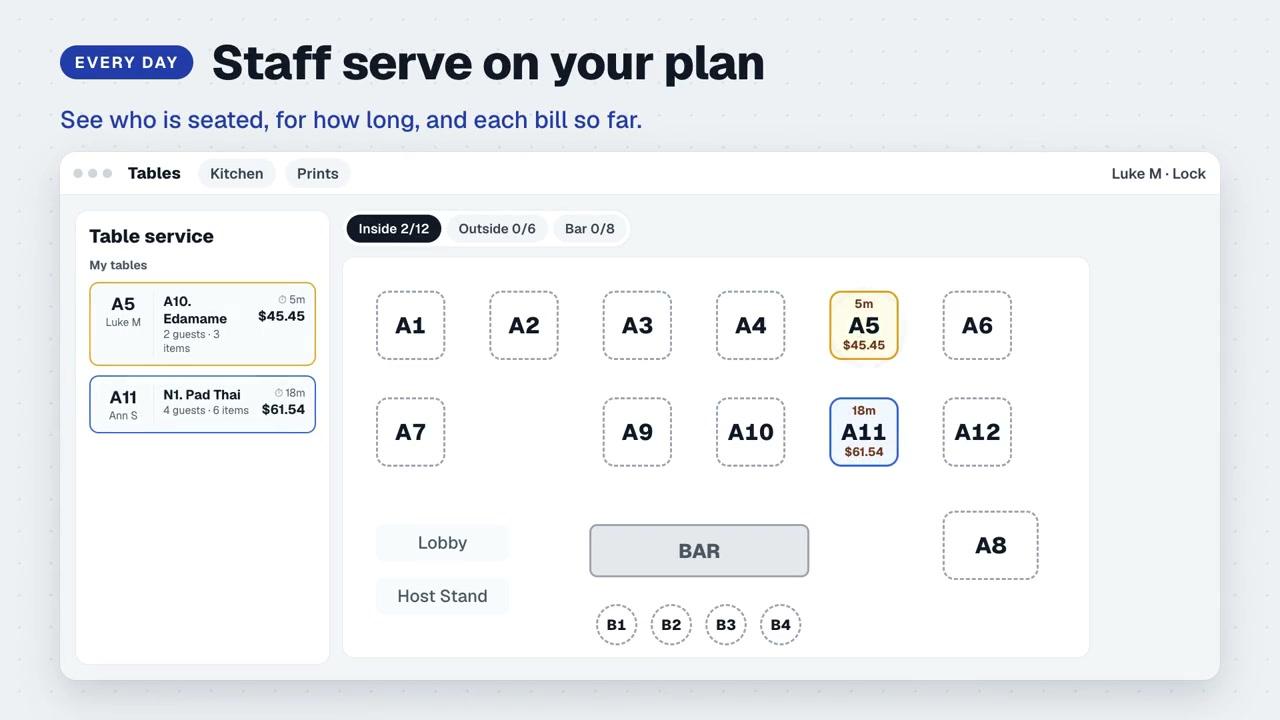
One plan for the whole room
Change the plan once.
Every device sees it.
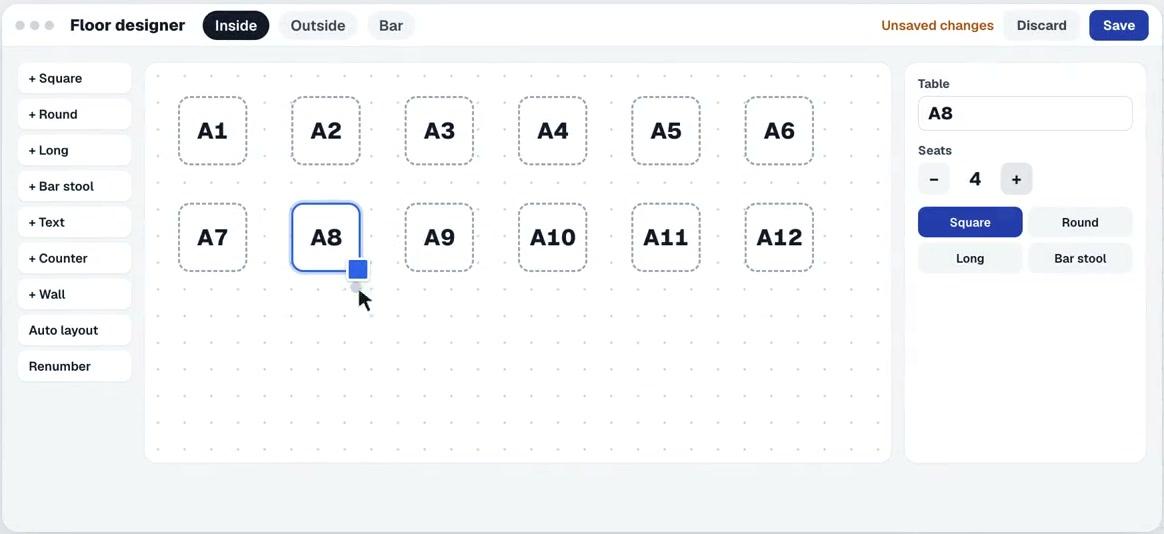
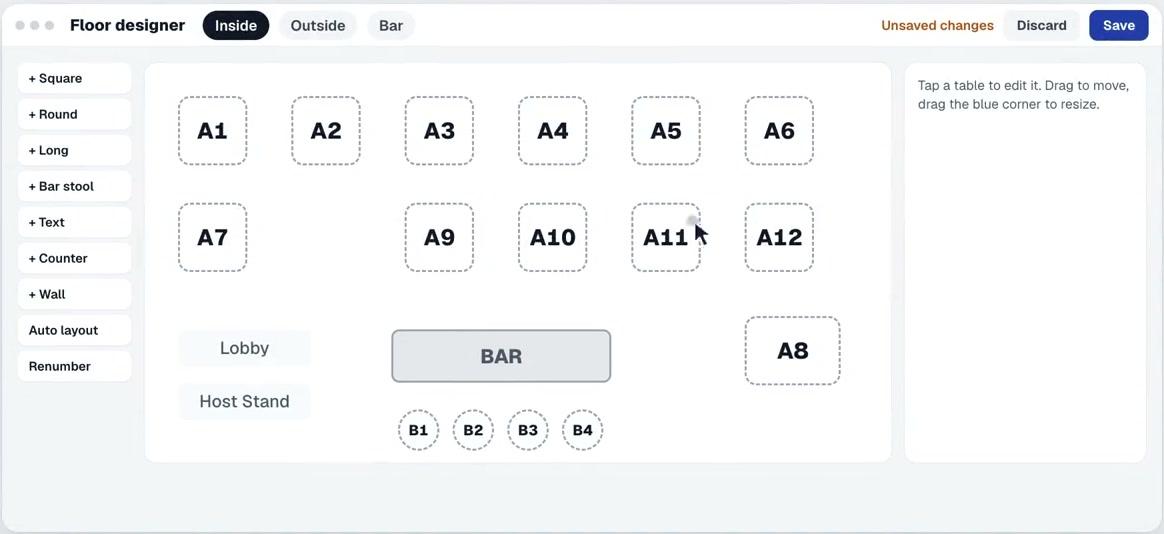
Move tables in the Floor designer and tap Save. The new plan is live on every staff device.
your service.
The system stays in the background.
The service stays up front.
A dinner restaurant, the neighborhood café, or your favorite bar.
Your team spends time with guests, and the restaurant's
information is always where you can find it.
Before you open the doors
Things you might
want to know
How do I get started with my restaurant?
If your restaurant already has an account, tap Connect your restaurant, enter the restaurant name, device pairing code and a device name, then sign in with your staff PIN.
Can the floor plan match my real room?
Use Quick setup to create your starting tables, then drag, resize, set seats, and add zone labels or a counter before saving the plan for your team.
How do front of house and the kitchen work together?
Front of house takes orders at the table and sends them to the kitchen with every note attached. What each person can see and do depends on their staff role.
Your restaurant.
Right on rhythm.
Connect your restaurant For restaurants that already have an account and a device pairing code